Know what to beat before you unrack.
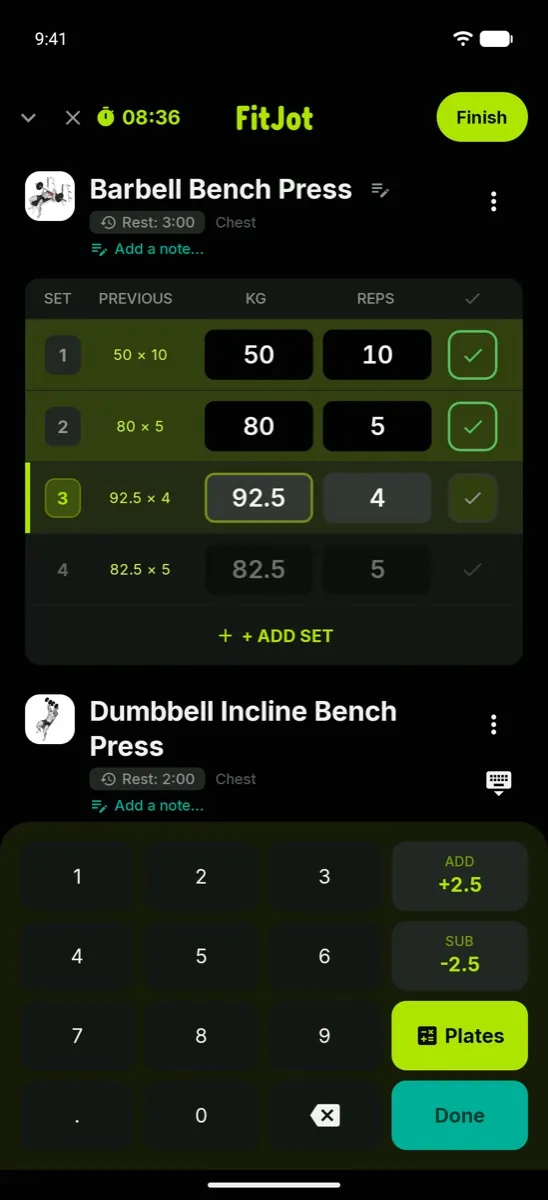
Last session's weight and reps sit right there, so every set has a target.
- Big-target gym keypad
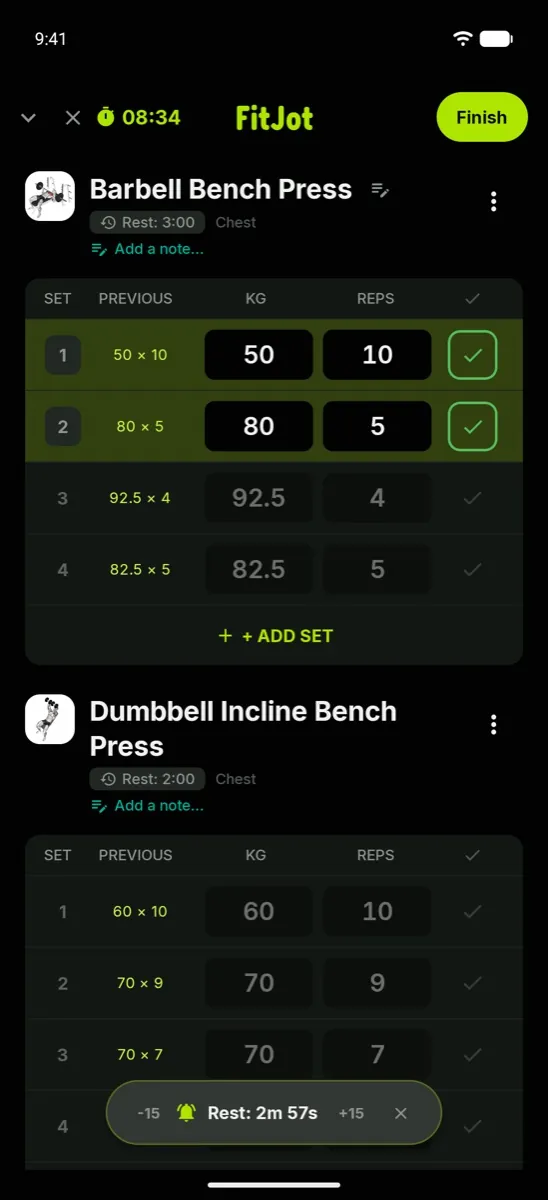
- Rest timer starts itself between sets
- Plate calculator tells you what to load
FitJot is a workout tracker and gym log app for iPhone, Android, Apple Watch and Wear OS. See last session's weight and reps beside every set, and get every PR flagged automatically.


Try it right here
This is FitJot's gym keypad. Punch in a set, hit Log, and watch the rest timer start itself.
Last time: 80 kg × 8
Everything a lifter needs
Last session's weight and reps sit right there, so every set has a target.
Warm-ups don't count toward your volume, muscle split or PRs. Supersets only start rest after the last exercise in the group.
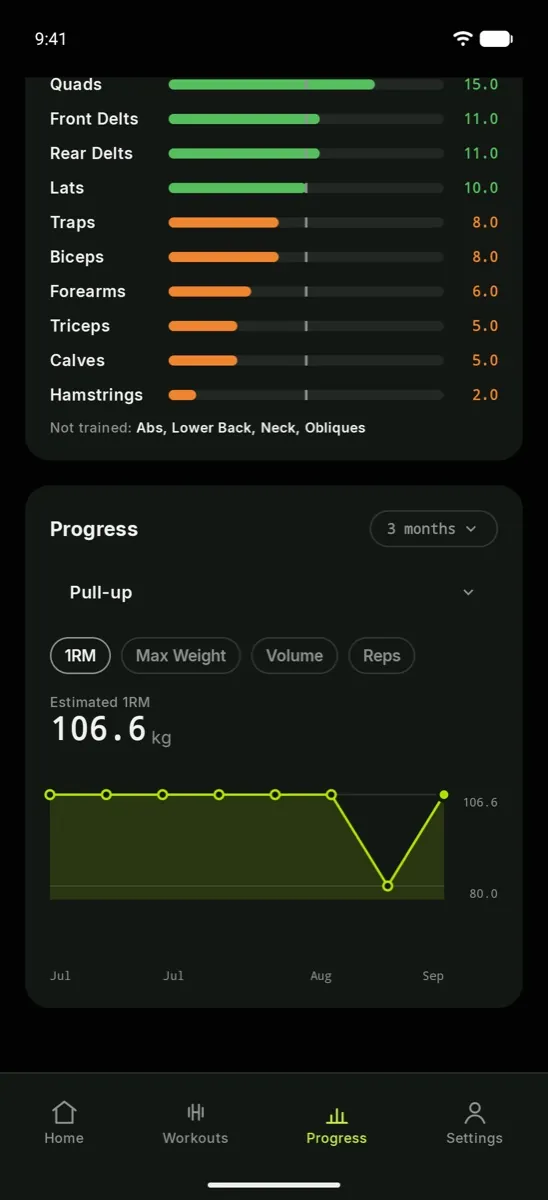
PRs are detected automatically, with the date you set them, and your trends show whether the work is paying off. With FitJot Plus, Auto Pilot suggests next session's weights for you.
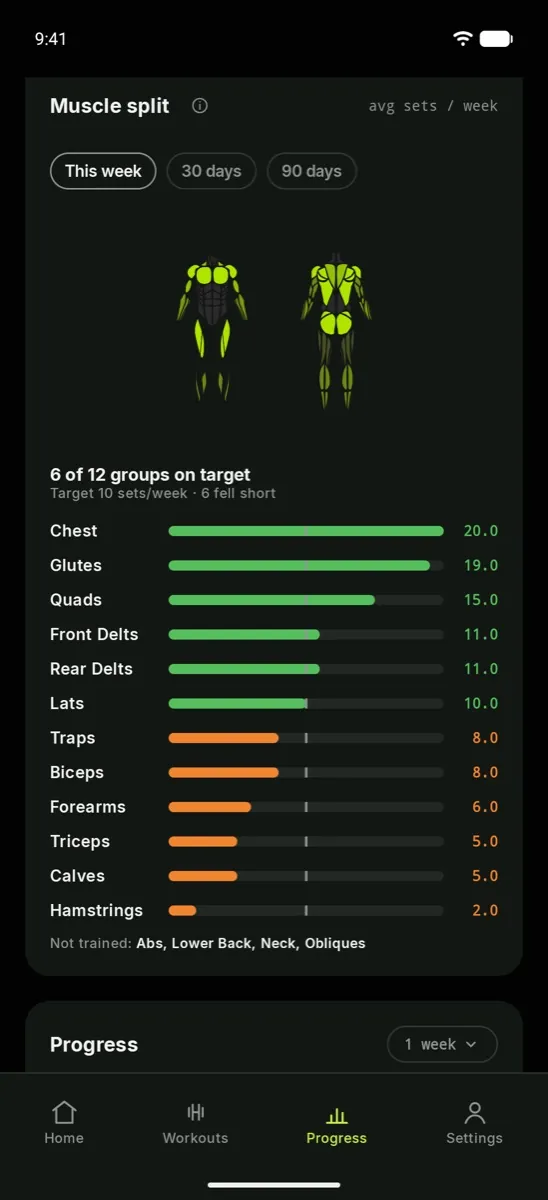
With FitJot Plus, a weekly muscle split shows how your sets spread across every muscle group, so lagging body parts stop hiding.
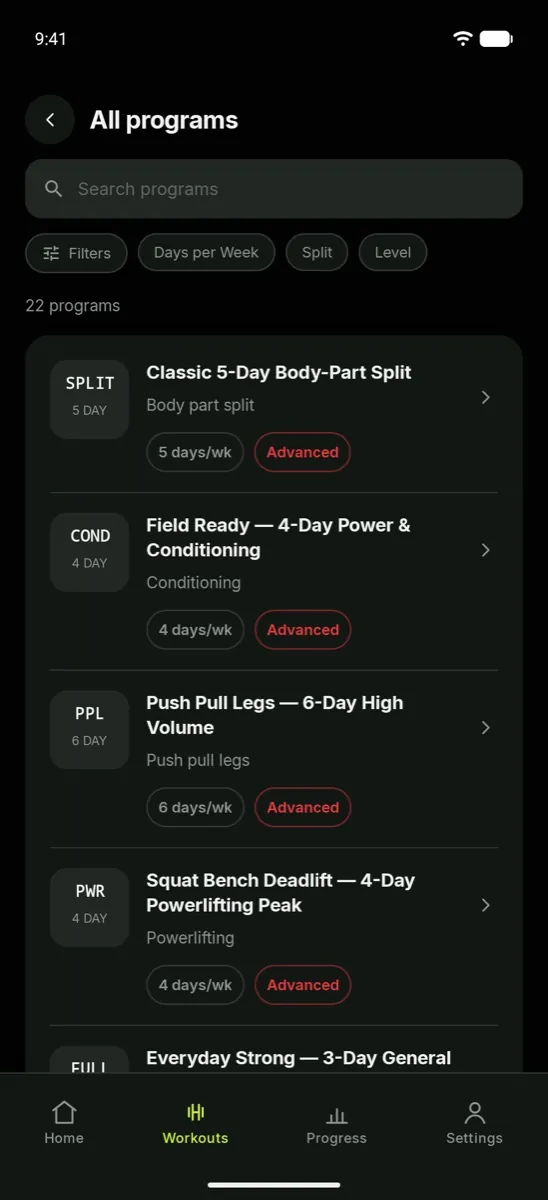
Start from a ready-made program, copied into your own routines so you can edit it. Or build from scratch: reorder exercises, set target reps, and schedule by weekday. Every program is free. Free accounts keep up to 5 routines; FitJot Plus removes the limit.
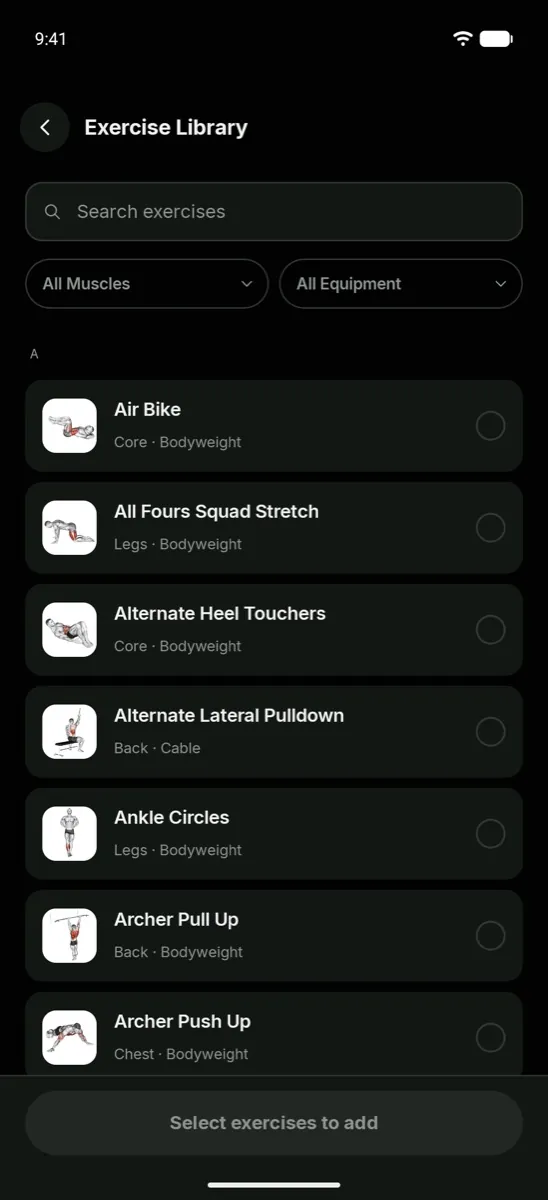
Step-by-step instructions, equipment and target muscles for every exercise, and video demos for most of them. Filter by body part or equipment.
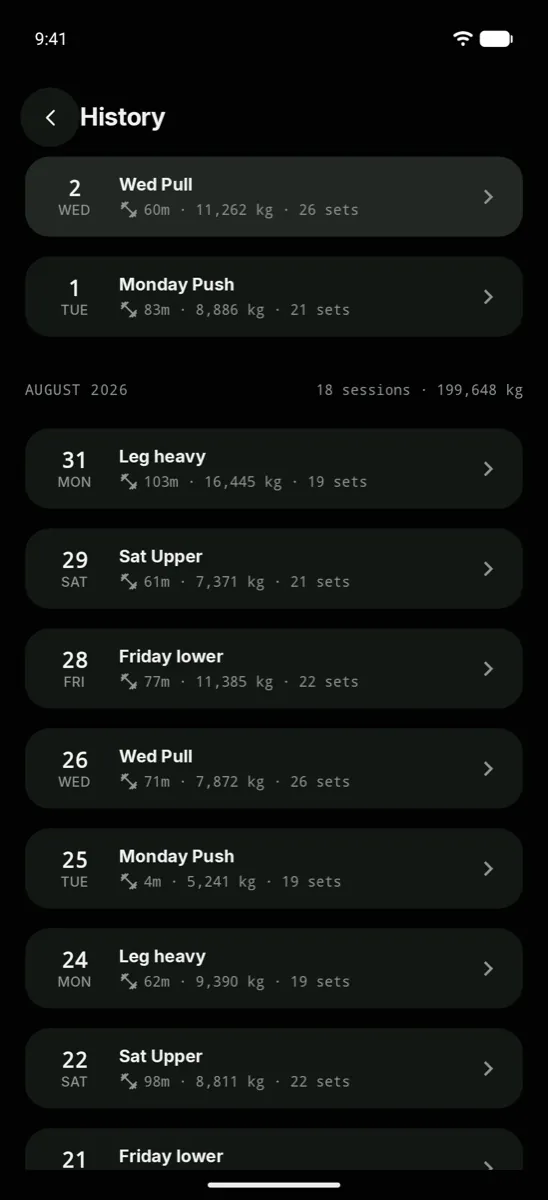
Reopen any past workout in full: every exercise, weight, rep and set type you logged.
Beyond the log
On Apple Watch and Wear OS, start a saved routine and log every set, weight and rep with the rest timer on your wrist. The watch app works with the FitJot phone app, which saves the workout to your log. More on the Wear OS app.
On iPhone with iOS 17 or later, your current set and rest countdown stay on the Lock Screen and in the Dynamic Island, so you can check them without opening the app.
Send any routine as a fitjot.tech link. Friends see the exercises in their browser and can open it in FitJot to save a copy. Anyone with the link can see the routine and your display name.
Pick a time and FitJot reminds you on the days your routine has planned, so a busy week doesn't quietly turn into a missed one.
Keep a food log next to your training, with daily calorie and protein targets. Search the food tables, scan a barcode or add a recent food, free. With FitJot Plus, take a photo of your meal or describe it, and AI suggests the foods and amounts for you to check before you log, up to a daily limit. Fuel is for ages 18 and over.
Gym math, handled
Both are built into FitJot. Try them here, plan your warm-up sets with the warm-up calculator, pick loads by effort with the RPE calculator, and score a meet total with the DOTS calculator.
Pricing
Logging is free for everyone, with no ads. FitJot Plus is an optional subscription for deeper stats, more routines, Auto Pilot and AI meal logging.
FitJot Plus is an auto-renewing subscription bought in the app through the App Store or Google Play, which show the price in your currency before you confirm. Cancel any time in your store's subscription settings. Terms · Privacy
An interrupted session is restored where you left it. Close the app or restart your phone mid-workout and you lose nothing.
Sign in with Apple, Google, or your phone number, and your training log is there on any iPhone or Android phone you sign in on.
FitJot is a workout tracker and gym log app for strength training, made by Ecoweb Softech Services Private Limited. It runs on iPhone and Android, with an Apple Watch app that needs the FitJot iPhone app and a Wear OS app that works with your phone paired. Logging, workout history, PR detection and the rest timer are free; FitJot Plus is an optional auto-renewing subscription.
FitJot is free to download, with no ads. Logging, history, the rest timer, supersets, PR detection, the plate and 1RM calculators, every training program and up to 5 routines are free for everyone. FitJot Plus is an optional auto-renewing subscription that adds Auto Pilot weight suggestions, advanced stats and unlimited routines.
Unlimited routines and custom exercises, the weekly muscle split, estimated 1RM trend charts, chart ranges from 3 months to all time, rep-range PRs, the warm-up calculator, gym profiles, and Auto Pilot weight suggestions. The price is shown in the App Store or Google Play before you subscribe.
Plus renews automatically until you cancel. Cancel any time in your App Store or Google Play subscription settings. Deleting the app or your FitJot account does not cancel the subscription.
Yes. You can log sets in kg or lb.
Your session is restored where you left it, even after closing the app or restarting your phone.
Yes, on Apple Watch and Wear OS. Start a saved routine on your watch and log sets, weight and reps with the rest timer on your wrist. The workout is saved to your log through the FitJot phone app, so the watch app needs it installed and signed in on your phone.
Weightlifting and strength training, bodybuilding and hypertrophy, powerlifting (squat, bench, deadlift, overhead press), home gyms, and anyone replacing a gym notebook or spreadsheet.
Yes. Share any routine as a link. Anyone with the link can see the routine's name, its exercises and your display name, and can save it into FitJot.
In the app, open the Profile tab, tap the Settings gear (top right), scroll to the bottom, tap “Delete account” and type DELETE to confirm. In app versions before 1.2.2, open the Settings tab instead. This permanently removes your profile, workout logs, custom programs, personal records and Fuel food log. No app? Request deletion on the web.
Email support@fitjot.tech. For help with a FitJot Plus purchase or refund, contact Apple or Google, since the App Store and Google Play handle billing.
Support
Questions, bugs or account help: email support@fitjot.tech. You can also send feedback from inside the app. FitJot is made by Ecoweb Softech Services Private Limited, a company registered in India.
Download FitJot and log your next session.